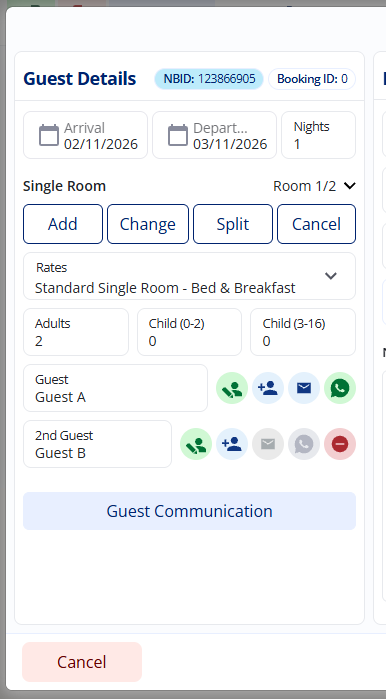
Finding your Booking IDs
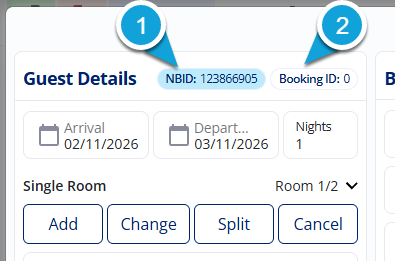
Right at the top, you will spot two different IDs.
- The NBID is the unique NightsBridge tracking number. If you ever need to contact us with a question about a specific booking, the NBID is the best number to give us so we can find your guest in a flash.
- The Booking ID, on the other hand, is the reference unique to your own property system. You will only see Booking ID if you have synchronised your PCBridge calendar on your desktop. If you haven't synced, you will see 0.
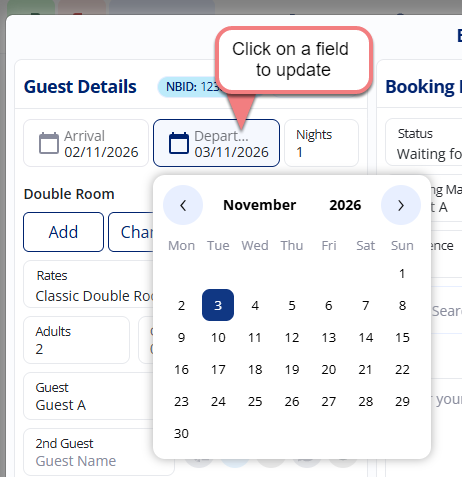
Managing dates and stays
You can easily tweak the arrival and departure dates, or the total length of stay, simply by clicking on those fields.
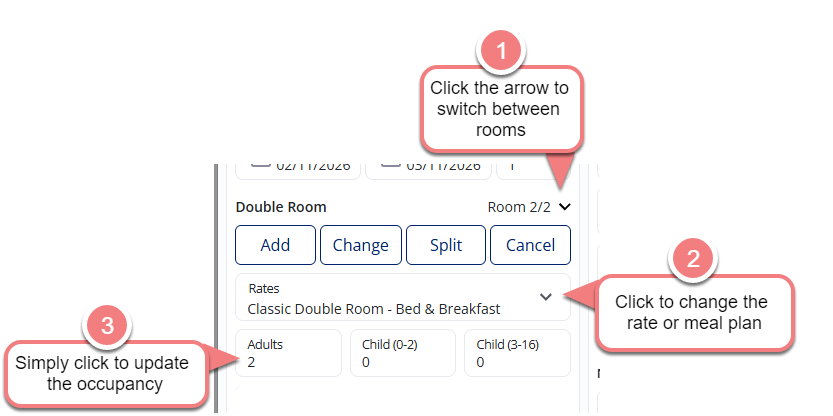
Rooms, rates, and occupancy
Need to switch things up before the guest arrives? It's all just a click away:
- Rooms: You can add an extra room, move the guest to another available room, split up a multi-room booking, or remove a room entirely.
- Rates: Simply click the drop-down menu to switch the booking to a different rate or meal plan. Just a quick heads-up: you will still need to make this same update on your calendar that synchronises so everything stays aligned.
- Occupancy: Use the little up and down arrows to easily adjust the number of guests staying.
Updating guest information and check-in
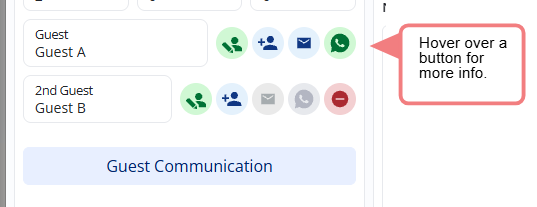
In the Guest Information section, you can
- edit the guest's profile,
- swap it for a different profile,
- drop them an email,
- send them a WhatsApp message, or
- view their guest account
- remove a second guest's details.
Handling everyday communication
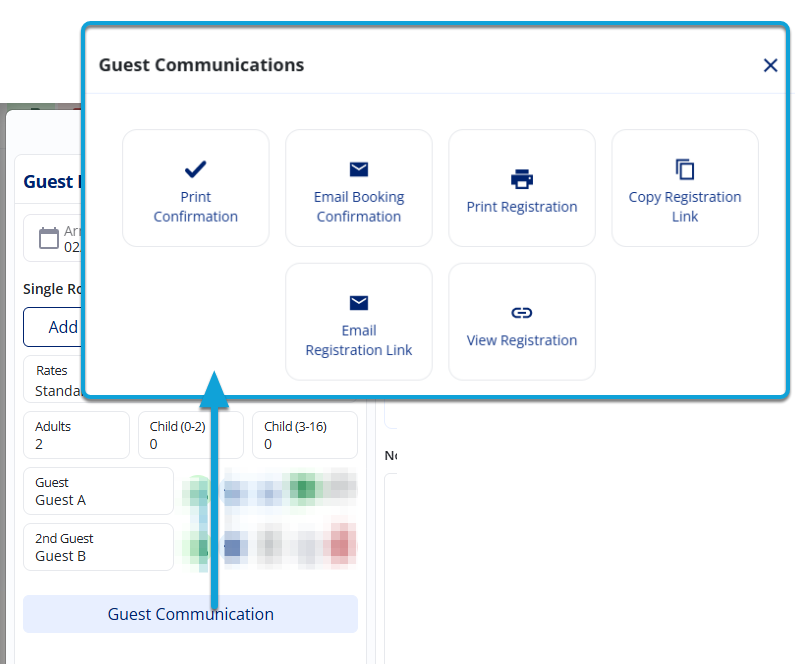
- Guest Communication: This button is a lifesaver! From here, you can easily download, print, or email a booking confirmation. You can also automatically email the guest a link to our Guest Chat, or send them their registration form to fill out online before they even arrive.
How-tos for FAQs
Direct links to tutorial guides on the most common tasks
Here are step-by-step guides on how to complete specific actions within the Guest Details panel/tab of the Booking Details.
How do I...